

CHOOSING SCREEN PRINT INK COLORS
You’ve got two main options:
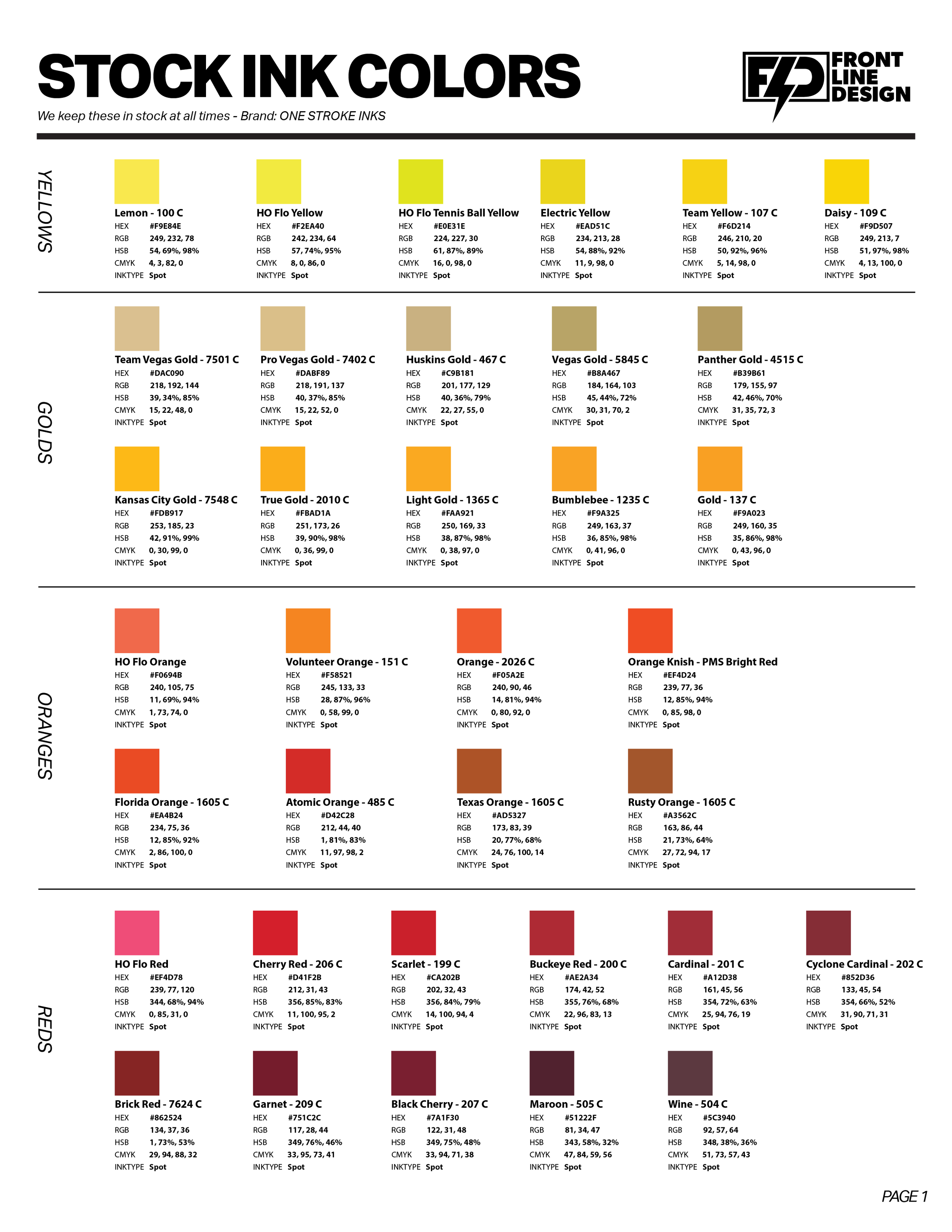
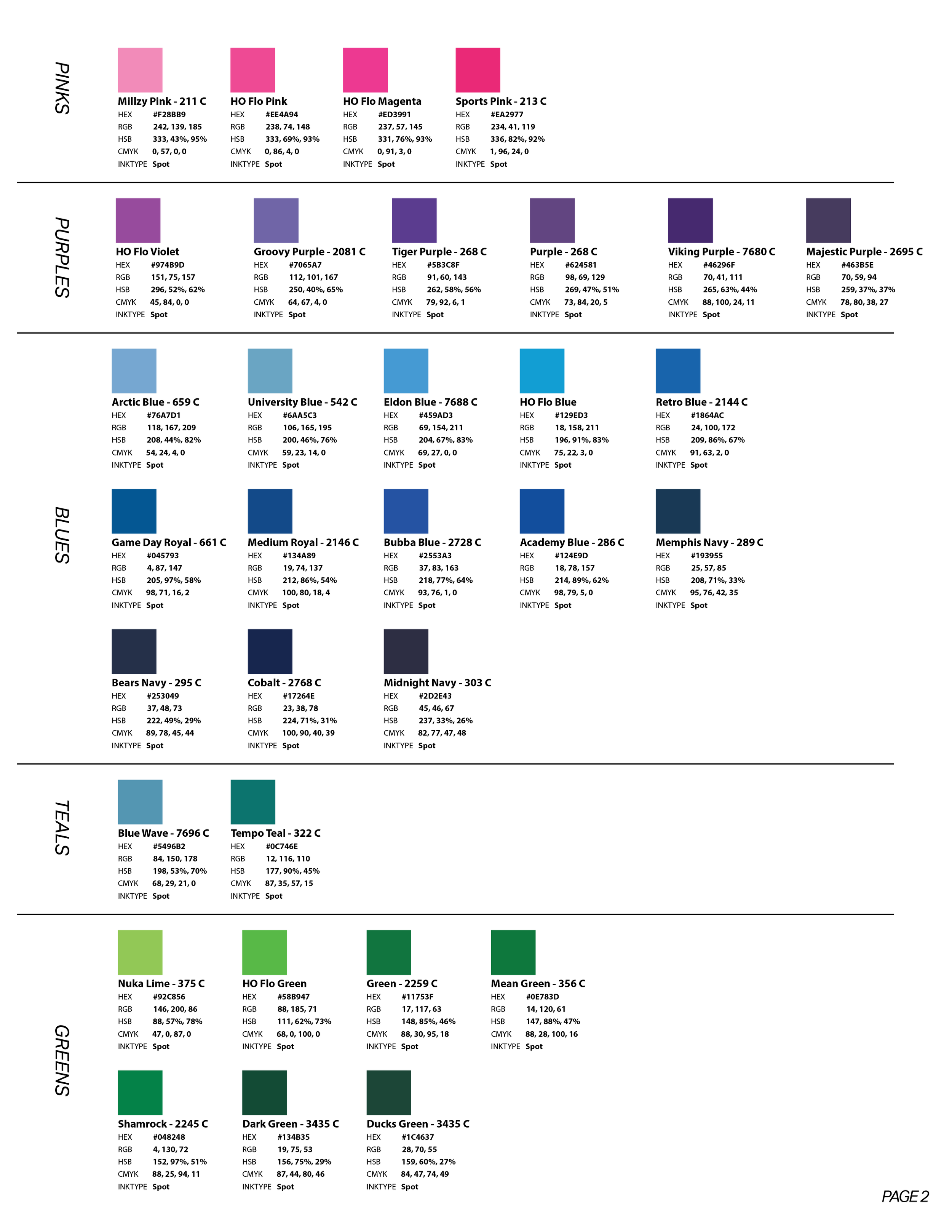
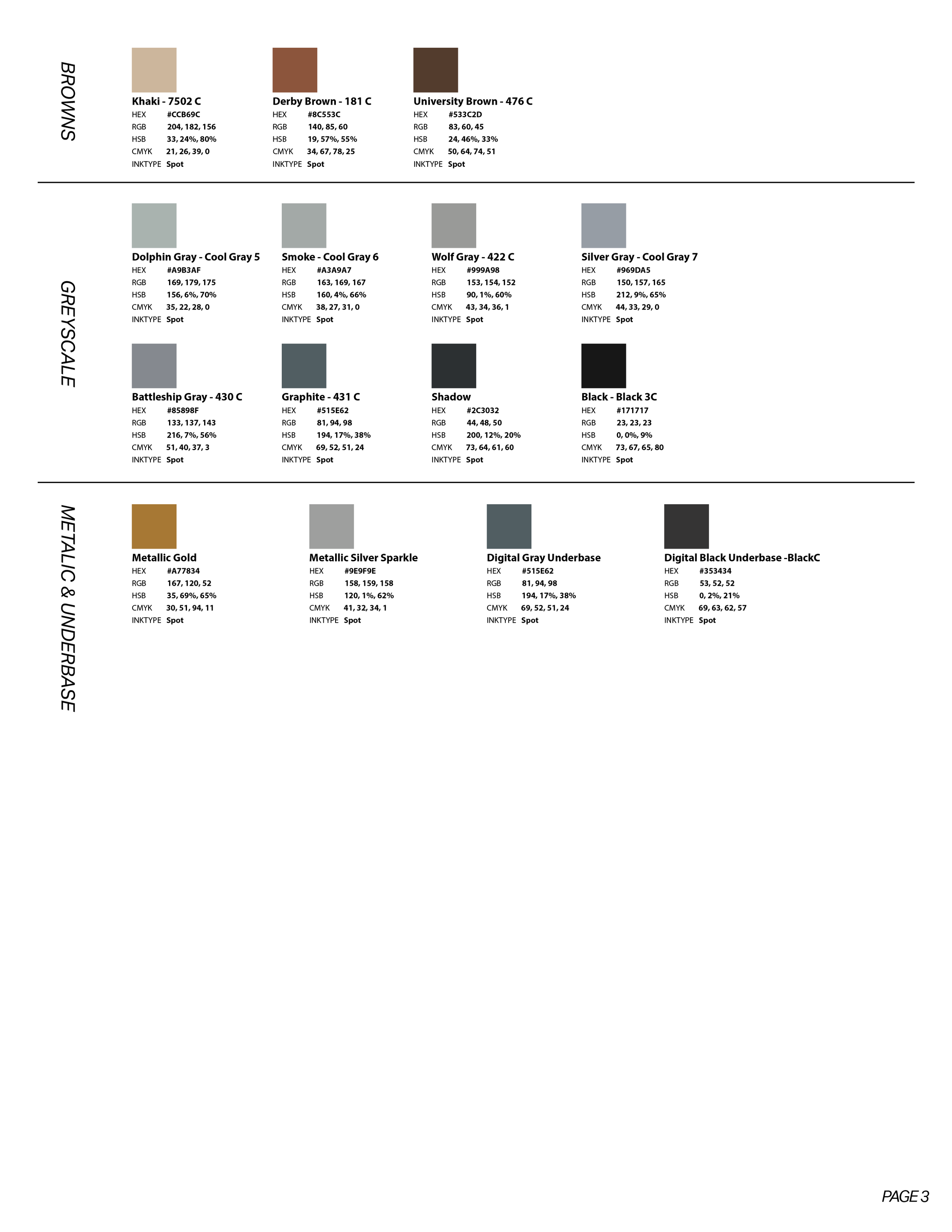
1 - Pick from our Stock Ink Color List
2 - Find a Pantone Code we can color match (Scroll down for more on that)
A key ingredient in Screen Printing is ink colors. We do our best to match your artwork as closely as possible, but getting an exact, perfect match between computer screens and ink is tricky. We’ve got a few tools to help you design your shirts.
We have a list of stock bucket ink colors that we keep on hand at all times. The images here and the pdf link has Hex codes, RGB, CMYK, and Pantone Codes listed to help find the closest match possible.
COLOR MATCHING
COLOR MATCHING
PANTONE COLOR MATCHING
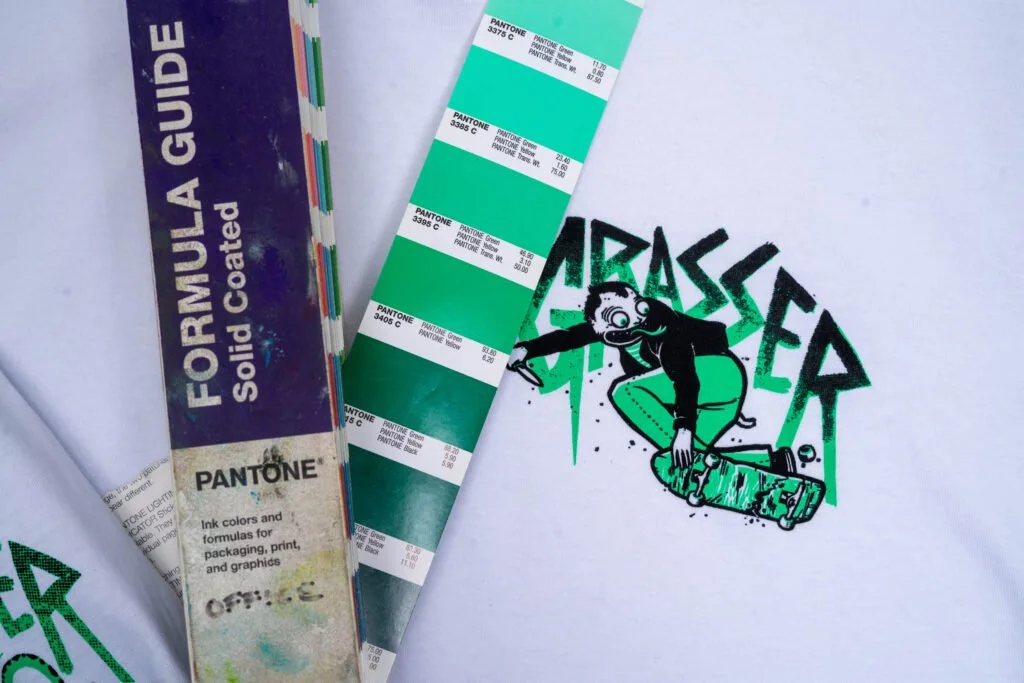
We do offer color matching services. We use PANTONE SOLID COATED Color book for all of our color references.
CUSTOM COLOR INKS WILL BE CHARGED A $25 FEE
Tip & Tricks:
#1: Physical Match: If you can get your hands on a physical color book that’ll provide the most accurate color matching. Sift through all the colors until you find the one you like (see the photo to the left).
#2: Digital Art: If designed your art in Adobe Illustrator or Photoshop, download the Pantone Color book below and load it into your program. You’ll have to look through the swatched to find the color that matches best.
*THIS IS ACOLOR BOOK FILE THAT MUST BE OPENED IN ADOBE ILLUSTRATOR.
SWATCHES TAB > SWATCH LIBRARIES MENU > OPEN SWATCH LIBRARY
COLOR COUNT
HOW MANY COLORS DOES YOUR ARTWORK ACTUALLY HAVE? Or Need? (probably less than you think)
1 Color
Use Cases
Lowest Price Print
Often best in White or Black
LOGO TEES!!!!!
Halftone Images with a “vintage vibe”
2 colors
Use Cases
Cost Effective
Simplified Photos
Simple Designs - 2 Color Logos, Text with Outlines or Drop-shadows
You can do way more with 2 colors than you realize
3 colors
Use Cases
Great Amount of Detail
Extra layer of “depth” & color contrast
Details + a highlight color
4 colors +
Use Cases
Complex Designs
4 Color Process Print (Realistic Images)
Color Heavy Illustrations
*** We can print a maximum of 8 colors ***